
Dealer Closed? How to Take Over an Existing Control4 System
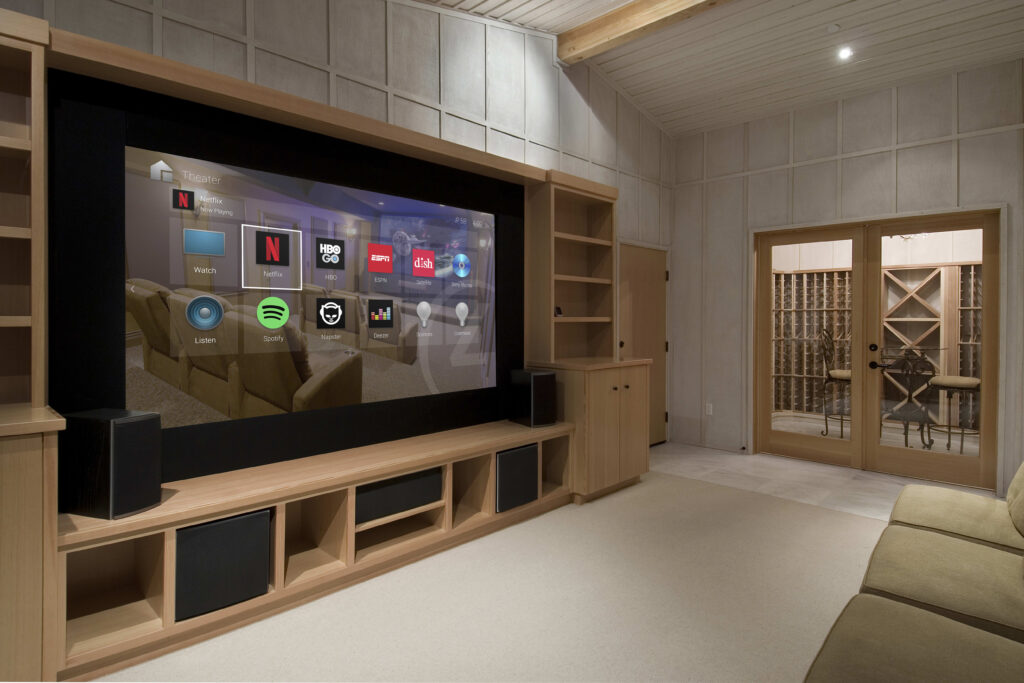
If your Control4 dealer closed, moved, or stopped returning calls, your system is not stranded. Control4 systems can be transferred to a new Authorized Dealer, who registers the system to their account, audits what’s installed, updates the software, and takes over support. Your lights, remotes, and panels keep working the whole time. Here’s how the takeover actually happens.
That last part matters, because the fear most people carry into this is that a silent dealer means a dead system. It doesn’t. The equipment on your walls is yours. What you’ve lost is the relationship that let someone change it — add a room, fix a broken scene, push a software update. A takeover restores that relationship. Below is the real process, what a new dealer needs from you, and the honest cases where a very old system is worth partly upgrading instead of just adopting as-is.
Why your Control4 system is not stranded
Control4 is a dealer-installed and dealer-programmed platform. That’s a strength for reliability and a headache the day your dealer disappears, because only an Authorized Dealer can log in and make programming changes. But the design of the system assumes dealers come and go. A system can be re-registered to a different dealership without wiping your equipment or your existing programming.
In plain terms: the controller keeps running the last program it was given. Your keypads, touchscreens, remotes, and scenes all still work exactly as they did the day the dealer went quiet. What you can’t do is modify anything, update drivers, or get remote support. A takeover is the act of reconnecting a qualified team to your existing hardware so change becomes possible again.
How a Control4 system takeover actually works
A takeover is less dramatic than most people expect. It’s an assessment first, not a rip-out. A typical sequence looks like this:
- Consultation and access review — a new dealer confirms you own the equipment and gathers what’s documented (more on that below).
- Registering the system — the dealer associates your system with their Control4 dealership account so they can log in and support it.
- On-site or remote audit — they inventory the controller, connected devices, remotes, and panels, and note what works and what doesn’t.
- Software and driver update — if the OS is out of date, they plan the update carefully rather than blindly clicking “upgrade,” because very old systems sometimes need staged updates.
- Fixing what’s broken and setting up remote support — once registered and current, many future changes can happen remotely.
In most cases nothing is needed from the previous dealer. If your system is well documented, the audit is fast. If there are no records at all, the new dealer essentially maps the system from the hardware up, which takes longer but is entirely doable.
What does a new Control4 dealer actually need?
Three things help most: access (or the ability to establish it through re-registration), the project file if it exists, and a device inventory so nobody is guessing what’s on your network. None of these is a dealbreaker if it’s missing — a good integrator can rebuild the picture — but each one you can supply shortens the job and lowers the cost.
The single most useful item is the original programming project file (the .c4z file your old dealer worked from). If you have it, hand it over. If you don’t, the system can still be adopted; the new dealer just recovers the configuration from the running system instead.
What to gather before a Control4 takeover
Use this checklist before you call anyone. You won’t have all of it, and that’s fine — bring what you can.
Account and system details
- Any Control4 account login or email the system was registered under
- The name of the original dealer or installer (even just a business card)
- Any old invoices, quotes, or design documents
Controller and equipment
- Where the main controller / equipment rack lives (basement, closet, mechanical room)
- The controller model and rough age, if you can read the label
- Any project file (
.c4z) or system documentation you were given
Interfaces and devices
- A rough inventory of remotes, touchscreens, and keypads (how many, which rooms)
- Which integrated systems are present: lighting, audio, video, cameras, thermostats, locks, shades
Network
- Your router / modem make and model, and whether you have the admin password
- Whether the system currently reaches the internet (for remote access)
Status
- A plain-language list of what still works vs. what’s broken or unresponsive
- Anything you’ve been told “can’t be changed” since the dealer left
What to check on an older system
Age is the honest variable. A takeover on a system a few years old is usually straightforward. On an older system, four things decide how smooth it will be:
| What to check | Why it matters | The takeover impact |
|---|---|---|
| Controller model and age | Older controllers can’t run current OS versions | May limit updates or newer drivers; sometimes worth replacing just the controller |
| OS version | Very old software may need staged updates | Slower, more careful update path — not impossible |
| Remote access | Determines if support can happen off-site | If working, most changes need no truck roll |
| What still works vs. broken | Focuses the first visit | A short list of “just fix these” is the cheapest starting point |
The reassuring part: you rarely need everything replaced. In many takeovers, the controller and core devices are fine, and the work is registering the system, updating software, and repairing a handful of specific complaints.
Reprogramming vs. a fresh start
Two paths exist, and a straight dealer will tell you which one your system actually needs.
Reprogramming (adopt what’s there). The new dealer keeps your existing hardware and programming, updates the software, and edits scenes and settings from the working system. This is the common path and the least expensive. It suits systems that are functional and reasonably current.
Partial upgrade. Sometimes the core is sound but one component is the bottleneck — usually an aging controller that can’t run current software. Here the dealer replaces that piece and keeps everything else. You get modern capability without a whole-home rebuild.
Fresh start. Genuinely rare, and only where the system is so old or so undocumented that adopting it costs more than rebuilding. An honest integrator treats this as the last resort, not the opening pitch, and shows you the math.
The honest tradeoffs
Here’s the part most companies won’t put in writing.
When a takeover is straightforward: your system is a few years old, mostly working, and you mainly need someone to answer the phone, update the software, and fix two or three annoyances. This is the majority of cases, and it’s a fast, low-drama job.
When an older system is worth a partial upgrade: if your controller is old enough that it caps out on an OS version and blocks the features you actually want, spending on that one component beats years of “sorry, your system can’t do that.” We’ll say so plainly, with the reason.
When you don’t need us at all: if your original dealer is still in business and reachable, go to them first. They already have your project file and history, and continuing with them is almost always simpler and cheaper than a transfer. A takeover is for when that door is genuinely closed — not for switching on a whim over a slow email reply. Try them once more before you start over.
Curious what a system costs to run or expand once it’s yours again? Our guide on how much a Control4 system costs in Canada breaks down the real price factors without invented precision.
Frequently asked questions
Can you take over a Control4 system another dealer installed?
Yes. An Authorized Control4 Dealer can register the system to their dealership, audit the equipment and programming, bring the software current, and support it from there. In most cases nothing is needed from the previous dealer. The details get confirmed during the consultation.
My Control4 dealer went out of business — is my system stranded?
No. The equipment keeps running the program it already has, so your remotes, panels, and scenes still work. What you’ve lost is the ability to change or update the system, and a takeover restores exactly that. The system is adopted, not replaced.
Do I need the original programming file to transfer my system?
It helps but isn’t required. If you have the project file (.c4z), the takeover is faster because nothing has to be reverse-engineered. Without it, a dealer recovers the configuration from the running system and rebuilds documentation from there.
Can a new dealer support my Control4 system remotely?
Often, yes. Once the system is registered to the new dealership and your network allows it, many scene changes, driver updates, and fixes happen remotely with no visit needed. Hardware and wiring work still happens on site.
Will I have to replace all my equipment?
Rarely. A takeover starts with an audit, and most systems keep their controller and core devices. If one aging component genuinely limits what you want, that gets flagged in writing — with the reason — rather than assumed. A full replacement is the last resort, not the default.
How much does a Control4 takeover cost?
It depends on the size of the system and how well it’s documented. A well-recorded system takes less work to adopt than one with no history at all. You’ll get a written scope after the consultation and audit, before any work is booked.
Get your system back under support
If your dealer has gone quiet, the first step is a simple audit — no rip-out, no pressure. As an Authorized Control4 Dealer serving Brampton and the GTA, we take over Control4 systems other dealers left behind, register them to our dealership, and become the team that answers.
Ready to plan your project?
Tell us what you want to build, fix or upgrade — a Techspirit Solutions specialist will help.