
Home Theatre Planning: Room Size, Seating, Sound and Budget Tiers
Good home theatre planning starts with the room, not the gear. Match the display and speakers to the space, seating distance and light you actually have, then set a budget tier. A great TV and soundbar suit many living rooms; a dedicated room with a projector earns its cost only when you have the space and use it. Here’s how to decide.
Most disappointing theatres aren’t bad equipment — they’re the right equipment in the wrong room, or a screen sized for a spec sheet instead of the couch. Get the room right and the rest follows.
What kind of room are you working with?
Three broad situations cover almost everyone, and each changes what makes sense.
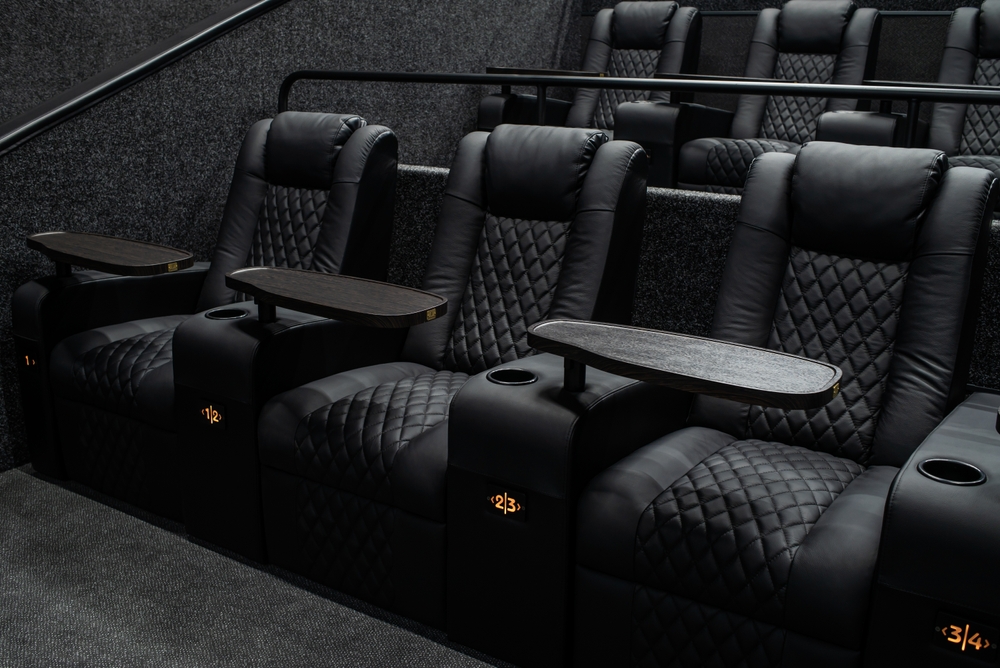
A dedicated theatre room is a space you can darken completely and treat for sound — usually a basement or spare room with no competing purpose. This is where a projector, a large screen, tiered seating and a proper 7.1 or Atmos layout pay off, because nothing fights you on light or acoustics.
A media room is a multi-use space — often open to a hallway or with some windows — where movies matter but aren’t the only use. Here you weigh a large TV against a projector with good light control, and accept some compromise on acoustics.
A living room is shared, bright and furnished for daily life. For most living rooms, a quality large TV plus a well-set-up soundbar or a modest 5.1 system is genuinely the right answer. Forcing a projector in usually costs more and satisfies less.
Before anything else, measure the room, note where windows and lights are, and mark where people will actually sit. Those three facts drive every decision below.
Projector and screen, or a large display?
This is the question people fixate on, and the honest answer is “it depends on light and distance,” not “bigger is always better.”
A projector and screen wins when you can control light and want a genuinely large image — think 100 inches and up. In a dark, dedicated room, projection gives a cinema feel no TV matches for the money at that size. The tradeoffs: it needs darkness to look its best, bulbs or laser modules and screens add cost, and setup is fussier.
A large display (TV) wins in any room with ambient light, and increasingly at sizes that used to be projector-only. Modern large TVs are bright, sharp in daylight, simpler to install and need no screen or darkening. For a living room or bright media room, a large TV is usually the better call.
A rough rule: if you can’t make the room dark and want to watch during the day, choose a TV. If you can black the room out and want the largest possible image, a projector earns its place.
How far should seating be from the screen?
Seating distance decides screen size more than budget does. Sit too close to a big screen and you see pixels and strain your neck; too far from a small one and you lose the immersion you paid for.
A practical starting point for a 4K image: seating roughly 1 to 1.5 times the screen’s diagonal away. So a 75-inch TV suits a primary seat around 6 to 9 feet back; a 120-inch projector screen wants roughly 10 to 15 feet. These are starting points, not laws — test with painter’s tape on the wall before you commit.
Two mistakes to avoid: buying the biggest screen the wall allows without checking the couch distance, and planning around one seat when three rows will actually use the room. Plan for where people sit, then size the screen to that.
How should the sound be laid out?
Picture gets the attention; sound is what makes a theatre feel like one. You have a few honest tiers.
- Soundbar (with subwoofer): right for many living rooms. A good soundbar plus a wireless sub delivers most of the impact with none of the wiring, and modern ones handle virtual surround well. Don’t underrate it.
- 5.1 system: five speakers plus a subwoofer — front left/centre/right, two surrounds and a sub. The baseline “real” surround setup and a strong sweet spot for most dedicated and media rooms.
- 7.1 and Atmos: adds rear surrounds and, for Atmos, height channels (in-ceiling or up-firing). Earns its cost in a dedicated room with space to place speakers correctly; in a small or awkward room the extra channels add cost without much benefit.
The subwoofer is where people under-invest most. It carries the low end you feel, and an undersized sub is the most common reason a system sounds thin — give the bass room in the budget.
Acoustic treatment often matters more than another speaker. Soft furnishings, a rug and a few panels tame reflections and improve sound more than a gear upgrade. A living room with curtains and a sofa may need little; a hard-surfaced basement isn’t optional.
Finally, the sweet spot — where surround imaging lines up — is usually the centre row. Put your primary seating there and aim speakers at it.
What about sources and control?
Plan the sources and the way you’ll operate everything before the walls close, not after. Streaming boxes, a 4K Blu-ray player, a game console and a receiver all need power, ventilation and a tidy cable path. A media closet or ventilated cabinet keeps heat and clutter out of the room.
Control is where a system either feels effortless or annoying. A pile of remotes works but wears thin; a single control system — a universal remote or an integrated platform like Control4 — turns “movie night” into one button that dims lights, drops the screen and picks the source. If you’re already planning smart lighting or shades, integrating theatre control is a natural step. For what a full integrated platform runs, see our guide to Control4 cost in Canada.
Home theatre budget tiers: an honest decision framework
Costs vary widely with room, brands and how much wiring the space needs, so there’s no honest one-size-fits-all number. The tiers below pair a room type with a sensible display and audio approach; the investment for each is priced by scope (room prep, display size, speaker count, cabling, acoustic and light work and any integrated control), and a consultation gives a real number for your project.
| Tier | Best-fit room | Display | Audio | What drives the investment |
|---|---|---|---|---|
| Entry | Living room / bright media room | Large 4K TV | Quality soundbar + wireless sub | Display size, sub quality and a tidy cable path — the lightest scope to install |
| Mid | Media room or modest dedicated room | Large TV or 100″+ projector w/ light control | 5.1 surround + solid sub | Speaker runs, light control and some acoustic work add to the scope |
| Premium | Dedicated, treated theatre room | 120″+ projector & screen, or premium large display | 7.1 or Atmos + acoustic treatment + integrated control | Full room prep, height channels, treatment and integrated control — the widest scope |
What moves the number most: whether the room needs new wiring and power, how much acoustic and light work it takes, display size, subwoofer and amplifier quality, seating, and whether you add integrated control. A finished, hard-to-wire basement costs more to fit out than a room prewired during construction — which is why planning cabling early pays off. If you’re building or renovating, our smart home prewiring guide for Ontario new builds covers getting the runs in before drywall.
Home theatre setup guide: the common mistakes
If you take one section away, take this. These are the errors we’re called in to fix.
- Screen too big or too small for the viewing distance. Sized to the wall, not the couch — tape it out first.
- Ignoring light and acoustics. A bright room kills a projector; a bare, hard room makes any speaker sound harsh. Address both before spending more on gear.
- Undersizing the subwoofer or amplifier. Thin, strained sound at volume almost always traces back here.
- Bad seating distance and placement. Seats too close, or the main row nowhere near the sweet spot.
- Forgetting ventilation and wiring. Gear in a sealed cabinet overheats; afterthought cabling looks messy and limits upgrades. Plan power, heat and cable paths from the start.
When you genuinely don’t need a full theatre
Here’s the part a lot of installers won’t lead with: for many homes, a great large TV and a good soundbar with a subwoofer is enough, and paying for a full surround build would be spending for its own sake. If your space is a bright, shared living room and movie night is occasional, that setup is honestly the smart choice — better to do a simpler system well than a complex one in a room that fights it.
A dedicated room with a projector, treatment and Atmos earns every dollar when you have a space you can darken and will use often. The dividing line isn’t budget — it’s the room and how you live in it. If you’re unsure which side you’re on, that’s the conversation worth having before you buy anything.
Frequently asked questions
How much does home theatre installation cost?
It depends heavily on the room and the system, so honest scope beats fake precision. An entry living-room setup with a large TV and soundbar is a lighter install than a dedicated room with a projector, surround sound and integrated control. The biggest cost drivers are wiring and power needs, display size, subwoofer and amplifier quality, and acoustic and light work. Home theatre is priced by scope (room prep, cabling, display, speaker count, storage and programming), and a consultation gives a real number for your project.
Do I need a dedicated room for a home theatre?
No. A media room or even a well-set-up living room works for most people, especially with a large TV and a soundbar or 5.1 system. A dedicated room mainly benefits you if you want a large projector image, full surround with height channels and no compromise on light or acoustics — and you’ll use it often enough to justify it.
Is a projector better than a TV for a home theatre?
Neither is universally better. A projector wins in a room you can darken completely and when you want the largest possible image; a large TV wins in any room with ambient light and is simpler to install and live with. Match the choice to your light control and viewing distance, not to a spec sheet.
How far should I sit from a home theatre screen?
As a starting point for 4K, sit roughly 1 to 1.5 times the screen’s diagonal away — about 6 to 9 feet for a 75-inch TV, or 10 to 15 feet for a 120-inch screen. Test the distance with tape on the wall before buying, and plan around where people will actually sit rather than a single seat.
What surround sound setup do I need — 5.1, 7.1 or Atmos?
For most rooms, 5.1 is the practical sweet spot and a good soundbar with a subwoofer suits many living rooms. Step up to 7.1 or Atmos only when a dedicated room gives you the space and seating to place the extra and height speakers correctly. In small or awkward rooms, more channels add cost without much gain.
Should I add monitoring or smart controls to my theatre?
Integrated control — one button that dims lights, drops the screen and selects a source — is a genuine quality-of-life upgrade, especially if you already have smart lighting or shades. Monitoring options can be arranged depending on the property and requirements — we’ll cover this during your consultation.
When you’re ready for a room-specific plan, our home theatre installation team designs and installs systems matched to your space across Brampton and the GTA — from a clean living-room setup to a full dedicated theatre.
Ready to plan your project?
Tell us what you want to build, fix or upgrade — a Techspirit Solutions specialist will help.