
Security Cameras and Driveway Theft in Brampton
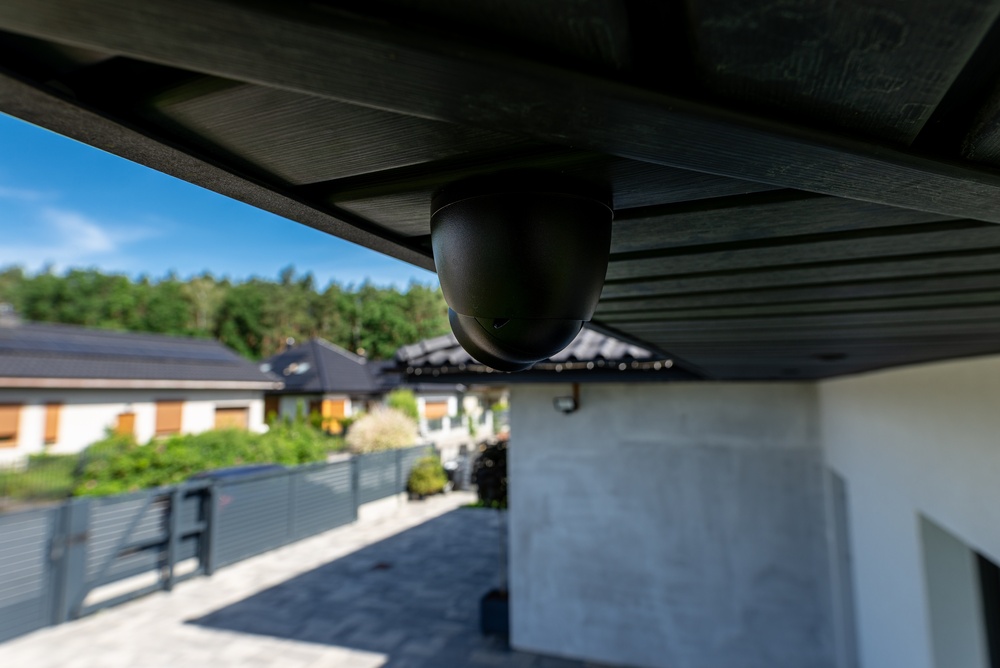
If you’re worried about your car or driveway in Brampton, cameras do two things well: they deter casual attempts, and they document what happened so you have usable footage. What they don’t do is physically stop someone. The setup that actually helps comes down to placement, night-time image quality good enough to read a plate or a face, and alerts smart enough that you don’t ignore them.
Do cameras actually stop driveway theft?
Let’s be straight about it. A visible camera and a lit driveway make an opportunist think twice, and that alone turns some incidents away. But a camera is a recording device, not a barrier — it won’t lock your doors or intervene. The honest way to frame it: cameras are one layer. They deter the casual pass-by, they give you and the police a clear record if something happens, and they pair well with lighting, a locked vehicle, and not leaving fobs or valuables in plain sight. Sold as a fix-all, a camera disappoints; treated as deterrence plus documentation, it’s genuinely worth having.
Signs you need security cameras for your driveway
This is the “signs you need CCTV installation” question, reframed for a Brampton driveway rather than a generic storefront. You don’t need a formal risk assessment — a few of these usually settle it:
- Your vehicles or trailer sit in an open, street-facing driveway with no gate or garage.
- You’ve had a near-miss or a neighbour has — someone trying door handles overnight, a package taken, tools gone from an open garage.
- Your driveway is dark after sunset and you can’t see the far end from the house.
- You keep valuables in the vehicle or garage — work tools, a second set of keys, sports gear.
- You want a record for insurance or a report, not just a hunch about what happened.
- You’re already planning a renovation or new build and it’s cheaper to plan camera cabling now than to retrofit later.
If two or three of those ring true, a couple of well-placed cameras will earn their keep. If none do, you may be fine with a single video doorbell — more on when less is genuinely enough further down.
Getting driveway footage that’s actually usable
Here’s the part that separates footage you can act on from a grey blur that shows “a person, probably.” Most disappointing footage isn’t a hardware problem — it’s placement, angle, and night settings. Work through this list before you mount anything:
- Placement — cover the approach, not just the car. Aim the camera down the driveway toward the street so you catch someone arriving, not only the moment they reach the vehicle. A single camera pointed straight at a parked bumper misses the walk-up that tells you who and where they came from.
- Height and angle. Mount roughly at first-storey height — high enough to be out of easy reach, low enough to capture faces and not just the tops of heads. Under a soffit or eave gives shade and shelter. Avoid the second-storey soffit; that height reads scalps, not identities.
- Plate capture without glare. To read a licence plate you want the camera angled along the vehicle’s line of travel, not square across it, and positioned so your own porch light or the setting sun isn’t blasting straight into the lens. Retro-reflective plates bloom into white under a bright IR light aimed dead-on, so a slight offset angle helps.
- Night and low-light (this is where plates and faces live). Most incidents happen in the dark, so night performance matters more than daytime megapixels. Look for a larger sensor and good low-light handling; a camera’s built-in infrared (IR) helps, and a little ambient light — a driveway fixture or motion light — does more for image quality than another megapixel.
- Resolution and frame rate. 2K (roughly 4MP) is a sensible floor; 4K gives more detail to zoom into but eats storage. A reasonable frame rate matters too — too few frames per second and a moving person or car smears between frames, which is exactly when you need a clean still.
- Motion zones and smart detection. Draw the motion zone around your driveway and approach, not the busy street or a swaying tree, so you’re not buried in false alerts. Person and vehicle detection cuts the noise further so the alerts you do get are worth opening.
- Storage and retention. Decide up front how many days of footage you keep — a few days covers most “what happened last night” needs, two to four weeks is a comfortable target. Retention drives your recorder and drive sizing, so set it before you buy, not after.
Get those seven right and a modest camera outperforms an expensive one in the wrong spot at the wrong angle.
What deters — lighting and visibility, honestly
Deterrence is real but modest, and worth doing because it’s cheap. A visible camera does more to deter than a hidden one — the point is that someone sees it and moves on. Pair it with lighting: a motion-triggered driveway light removes the cover of darkness and improves your footage at the same time. Beyond that, the boring habits matter more than any gadget — lock the car, don’t leave the fob near the front door, keep the garage closed. None of it is glamorous, and all of it works.
If you’ve seen local chatter about driveway or vehicle incidents trending up, treat it as a prompt to check your own setup rather than a statistic to repeat.
Alerts you’ll actually pay attention to
The fastest way to make a camera useless is to let it cry wolf. If every passing car and every cat on the lawn pings your phone, you’ll mute it within a week — and then miss the one alert that mattered. Two settings fix this: tight motion zones drawn around your own driveway and approach, and person/vehicle detection so people and cars trigger alerts while headlights, shadows, and blowing leaves don’t. Set both and your notifications become signal instead of noise.
Honest tradeoffs: when a single DIY camera is plenty
We’d rather point you at the right thing than the biggest thing. A single DIY camera or video doorbell is a genuinely fine start when:
- You mainly want a record of the driveway and front door, not full-property coverage.
- You rent and can’t run cable or drill freely.
- Your driveway is short and well-lit and one camera sees all of it.
- You’re okay charging a battery now and then and relying on your home WiFi reaching the camera.
A wired, professionally placed system earns its cost when:
- You have a long or wrap-around driveway, multiple vehicles, or dark blind spots a single camera can’t cover.
- You want reliable weeks of retention and cameras that never drop offline because a battery died or WiFi didn’t reach the far corner.
- You’ve had an incident and need footage that identifies, not just footage that shows a shape.
- You want it tied into a broader system — alarm, lighting, doorbell — that behaves as one.
There’s no rule that everything goes in on day one — start with the one camera that covers your biggest gap and expand when it makes sense. And remember the honest ceiling on all of it: a camera documents and deters, but it’s the combination of camera, light, and locking up that actually reduces the odds.
Frequently asked questions
Where should I place a camera to capture my driveway and licence plates?
Aim the camera down the driveway toward the street so it covers the approach, not just the parked car, and mount it at roughly first-storey height under a soffit for shelter. For plates, angle along the vehicle’s line of travel rather than square across it, and keep bright porch lights or direct sun out of the lens. A slight offset angle also stops reflective plates from blooming white under IR at night.
What camera specs matter most for night-time driveway footage?
Night performance beats daytime megapixels here, because most incidents happen in the dark. Prioritise a larger sensor with good low-light handling and infrared, a sensible frame rate so moving people and cars don’t smear, and at least 2K resolution. A little ambient light from a driveway or motion fixture improves footage more than adding resolution alone.
Do driveway cameras actually deter theft?
A visible camera and a lit driveway do deter casual, opportunistic attempts — someone who sees a camera often moves on. But cameras don’t physically stop anyone; they deter and document. Treat them as one layer alongside lighting, a locked vehicle, and keeping fobs and valuables out of sight, and they’re well worth having.
How do I stop my camera from sending constant false alerts?
Draw the motion zone tightly around your own driveway and approach rather than the street, and turn on person/vehicle detection so headlights, shadows, and animals stop triggering it. Those two settings turn a camera you’d mute within a week into one you’ll actually check. Tune the zones after install, since the defaults are usually too wide.
How many days of footage should I keep?
A few days covers most “what happened overnight” situations, and two to four weeks is a comfortable target if you want a longer record for a report or claim. Retention is the main driver of recorder and drive size, so decide it before you buy rather than upgrading storage later. More cameras and higher resolution both increase the space you’ll need.
Can I install a driveway camera myself?
Yes — a wireless camera or video doorbell for a single driveway view is very doable: mount it, connect to your app and WiFi, set the motion zone, and check the night view. A wired system with multiple cameras and weeks of retention is a bigger job involving in-wall cabling and recorder setup, which is where most people bring in an installer to get the angles and storage right the first time.
When you want it done properly, our security camera installation team handles placement, plate-capture angles, night settings, and retention — and we cover this work as part of camera installation in Brampton. If you’re still weighing what a full system costs and exactly where each camera should go, our companion guide on security camera cost and placement breaks it all down the same honest way.
Ready to plan your project?
Tell us what you want to build, fix or upgrade — a Techspirit Solutions specialist will help.