
Security Camera Cost and Where to Place Cameras: A Real Installer’s Guide
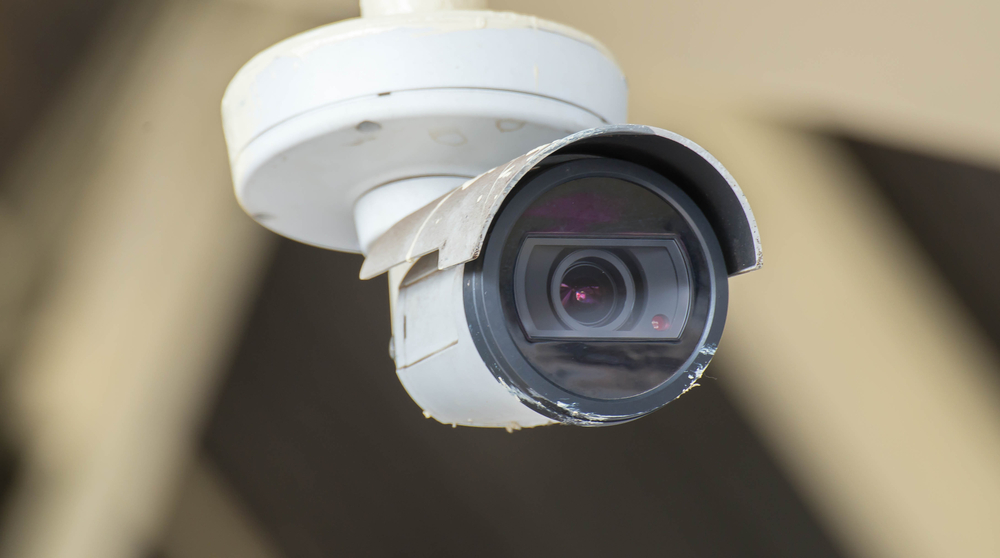
A professionally installed security camera system is priced by scope — how many cameras you run, whether they’re wired or wireless, how much cabling the job needs, and how many days of footage you want to keep. A small two-camera doorbell-and-driveway setup and a full-property wired system with weeks of retention sit at very different points, which is why the honest number comes from a look at the property rather than a single figure on a page. Here’s what actually moves the cost — and where those cameras should go.
How much does security camera installation cost?
There’s no single price because “a camera system” can mean a two-camera doorbell-and-driveway setup or a twelve-camera property with a network video recorder (NVR) and weeks of retained footage. The honest way to think about cost is per-camera plus the shared parts of the system (the recorder, storage, and network) plus labour.
The honest way to think about it is per-camera hardware plus the shared parts of the system — the recorder, storage, and network — plus labour, which is mostly driven by how hard the cable is to pull. A four-to-six camera wired system with an NVR is the most common residential job we see. DIY wireless kits sold at big-box stores cost noticeably less up front, which is real — the tradeoff is coverage, reliability, and retention, covered further down. Where your project lands depends on the mix of those factors, so a consultation gives a real number for your home rather than a guess.
For a typical 4–6 camera wired residential job in the GTA, the installed price is set by scope — the number of cameras and points, the length and difficulty of the cable runs, the resolution and storage you choose, and the programming involved. Rather than publish a band that may not fit your property, we quote a real number after a quick assessment.
What drives security camera cost? (CCTV installation cost factors)
Two houses can get quotes that differ by thousands of dollars for reasons that have nothing to do with anyone padding the bill. These are the real CCTV installation cost factors, roughly in the order they move the price:
| Cost factor | Cheaper end | More expensive end |
|---|---|---|
| Number of cameras | 2–4 covering key entry points | 8–12+ covering a full property |
| Resolution | 2K (roughly 4MP) | 4K (8MP) — more detail, larger files |
| Sensor & low-light quality | Basic night mode | Larger sensor, better low-light, colour night vision |
| Wired PoE vs wireless | Battery/WiFi cameras, no cabling | Wired PoE — a cable run per camera |
| Cabling runs & labour | Short runs, open basement, easy attic | Long runs, finished walls, brick, conduit |
| Recorder & storage | Cloud-only or small local storage | NVR with drives sized for weeks of footage |
| Retention (days of footage) | A few days | 30+ days across many cameras |
| Indoor vs outdoor / vandal-rated | Indoor plastic housings | Weatherproof, vandal-rated metal housings |
| Smart detection / analytics | Motion only | Person/vehicle detection, zones, licence-plate capture |
| Install type | DIY | Professional install, tuned angles, tidy cabling |
A few of these deserve a plain-English note. Resolution and retention are the sneaky ones: going from 2K to 4K and from a few days to a month of footage across eight cameras multiplies your storage need, and the recorder and drives are a real line item. Cabling is the biggest variable in labour — running a wire through an open, unfinished basement is quick; fishing it up a finished two-storey brick exterior is not. That’s why an in-person look almost always beats a phone quote.
For the Control4-integrated or whole-home version of this question, our companion piece on how much Control4 costs in Canada breaks down system pricing the same honest way.
Home security system cost vs. cameras alone
People often search “home security system cost” and “security camera installation cost” as if they’re the same thing — they overlap but aren’t identical. Cameras record and let you see what happened. A security system usually adds door/window sensors, motion detectors, a keypad or app-based arming, and often a siren. You can run cameras with no alarm system at all, and many homes do exactly that. If you want the alarm side explained end to end, our guide on how Ajax alarm systems work covers sensors, arming, and app control without the sales gloss.
On the question people always ask next: monitoring options can be arranged depending on the property and requirements — we’ll cover this during your consultation. Cameras and an alarm work perfectly well on their own with app alerts; whether you add anything beyond that is a decision to make with the full picture in front of you.
Where to place security cameras (and where not to)
Placement is where cheap systems and good systems really separate. The best camera in the wrong spot — pointed into the setting sun, mounted too high, or aimed at a blind hedge — is worth less than a modest camera placed well. This is the “best location for CCTV cameras” question, answered from actually doing it:
- Front door / main entrance — the single most important view. Most package theft and most legitimate visitors happen here. Mount so faces are captured at a usable height, not just the tops of heads.
- Driveway and approach path — covers vehicles, anyone walking up, and the street edge of your property. Angle to catch the approach, not just the parked car.
- Garage — a common entry point and where tools and bikes live. One camera covering the garage door and its immediate apron pays for itself.
- Back and side yards (the blind spots) — the quiet, unlit sides of a house are exactly where someone tests a window or a gate. These often need the most thought because they get the least light.
- Ground-floor windows and patio doors — the accessible openings. You don’t need one per window; you need coverage of the wall they sit on.
- Porch / package drop — a dedicated view or a video doorbell so deliveries and porch visitors are clearly captured.
- Overlap the edges — set adjacent cameras so their fields of view slightly overlap. No blind seam between two cameras is where a system quietly fails.
Where NOT to point a camera:
- Into your neighbour’s windows or private yard. Respect their privacy — aim to cover your property. It’s the right thing to do and it keeps footage focused on what matters.
- Straight into bright backlight — a camera facing the morning or evening sun, or a bright porch light, will silhouette everyone into black shapes. Face away from the strongest light source.
- Too high. Mounting a camera up under the second-storey soffit gives you a great view of scalps and no identifiable faces. Lower is usually better for identification; higher is better only for wide overview shots.
- Behind glass, from inside. Shooting an outdoor scene through a window causes reflections and night-time glare off the glass. Outdoor scenes want outdoor-rated cameras.
On lighting at night: cameras see what the scene gives them. A little ambient light — a porch fixture, a driveway light, or the camera’s own IR — makes a real difference. For dark side yards, either a camera with strong low-light performance or a modest light does more for footage quality than another megapixel.
Outdoor security camera installation: what’s different outside
Outdoor cameras earn their higher price. They need weatherproof housings rated for Ontario winters, sensible mounting under a soffit or eave where possible (shade and shelter both help), and cabling that’s protected from water and UV. Wired PoE (Power over Ethernet) is the norm for good outdoor installs because one cable carries both power and data — no battery to recharge, no reliance on WiFi reaching the far corner of the yard. Height, angle, and glare all matter more outdoors, which is why the placement list above exists.
How to install security cameras yourself — and when to
“How to install security cameras” is a fair DIY search, and for the right situation DIY is genuinely the correct answer. The basic process for a wireless kit: pick your spots using the placement list above, mount the bracket, charge or wire the camera, connect it to your app and WiFi, set motion zones, and confirm the night view. It’s very doable for a small home.
Wired PoE is a bigger job — running cable through walls and attics, terminating connectors, and configuring an NVR — and that’s where most people bring in an installer, both for the cabling and for getting angles and retention set up right the first time.
Honest tradeoffs: when a DIY wireless kit is genuinely fine
We’d rather you buy the right thing than the expensive thing. A DIY wireless kit is genuinely fine when:
- You rent and can’t run cable or drill freely.
- It’s a small home or condo with one or two key views (front door, patio).
- Your risk is low and you mainly want alerts and a record of who came to the door.
- You’re okay with charging batteries periodically and relying on your WiFi reaching the cameras.
Wired PoE and professional placement earn their cost when:
- You have a larger property with multiple approaches, dark side yards, and real blind spots.
- You want weeks of reliable retention and cameras that never go offline because a battery died or WiFi dropped.
- You’ve had a theft or a specific concern and need identifiable footage, not just a shape moving in the dark.
- You want it tied into a broader system — alarm, doorbell, automation — that behaves as one.
If you’re on the fence, start with one or two cameras where it matters most and expand. There’s no rule that says everything goes in on day one.
Frequently asked questions
How much does it cost to install security cameras on a house?
It’s priced by scope, driven mainly by the number of cameras and points, wired vs wireless, how difficult the cable runs are, and how many days of footage you keep. A simple two-camera setup and a full-property wired system with weeks of retention sit at very different points. An in-person assessment is the only way to price cabling accurately, so a consultation gives a real number for your home.
What are the main CCTV installation cost factors?
The biggest movers are the number of cameras, resolution (2K vs 4K), wired PoE vs wireless, the length and difficulty of cable runs, and how many days of footage you want to keep. Analytics like person and vehicle detection, plus vandal-rated outdoor housings, add cost on top. See the cost table above for the full breakdown.
Where is the best location for security cameras?
Prioritise the front door, driveway and approach paths, the garage, and the dark back and side yards where blind spots live — then cover ground-floor windows and the porch. Mount at a height that captures faces, avoid pointing into bright backlight, and overlap adjacent cameras so there’s no blind seam between them.
Do outdoor security cameras need to be wired?
Not strictly — battery and WiFi outdoor cameras exist and work. But wired PoE is the standard for a reliable outdoor install because one cable delivers both power and data, so there’s no battery to recharge and no dependence on WiFi reaching the far corner of the property. For anything beyond a camera or two, wired is usually worth it.
Can I install security cameras myself?
Yes, especially a wireless kit for a small home or rental — mount, connect to the app and WiFi, set motion zones, and check the night view. Wired PoE with an NVR is a bigger job involving in-wall cabling and recorder setup, which is where most people bring in an installer to get the runs and angles right the first time.
How many days of footage should I keep?
A few days covers most “what happened last night” needs; two to four weeks is a common comfortable target, and it’s a bigger factor in storage cost than people expect — more cameras and higher resolution both multiply the drive space required. Decide retention up front so the recorder and drives are sized correctly rather than replaced later.
When you’re ready for a wired, properly placed system, our security camera installation team handles the cabling, angles, and retention setup across the GTA — and if driveway and vehicle theft is your specific worry, read our local guide on stopping driveway theft with cameras in Brampton.
Ready to plan your project?
Tell us what you want to build, fix or upgrade — a Techspirit Solutions specialist will help.