
How Much Does an Access Control System Cost? A Per-Door Guide
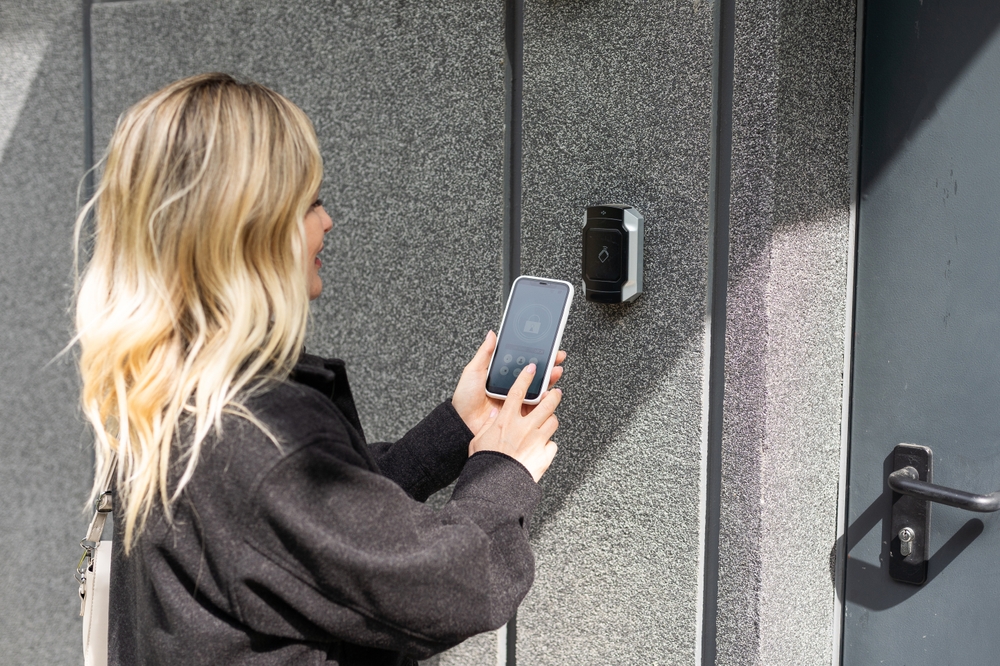
An access control system is priced per door, plus the shared head-end — the controller, software and credentials that every door hangs off. That’s why “how much does access control cost” has no single answer: a two-door office with fob readers and a twelve-door warehouse with mobile credentials and camera integration sit at very different points. Here’s what actually moves the number, how per-door pricing works, and what a proper quote should include — from the team that installs these across Brampton, Mississauga and the GTA.
How access control pricing actually works
Every access control quote is really two lists added together. The first is per-door hardware and labour: the reader on the wall, the electric strike or maglock in the frame, the door position switch and request-to-exit sensor, and the cabling back to the panel. The second is the shared head-end: the controller or panel, the software that manages people and schedules, and the credentials (cards, fobs or phones) you hand to staff.
That structure explains the pattern everyone notices in quotes: the first door is the most expensive, and each additional door costs less — because the controller, software and setup are already paid for. It’s also why per-door averages you see online can mislead in both directions: a one-door install carries the whole head-end on a single door, while a ten-door building spreads it thin.
Access control system cost factors
Two buildings can be quoted far apart for honest reasons. These are the factors that move an access control price, roughly in the order they matter:
| Cost factor | Cheaper end | More expensive end |
|---|---|---|
| Number of doors | 1–2 controlled doors | 8–12+ doors across a building or site |
| Reader type | Card / fob proximity readers | Mobile-credential or biometric readers |
| Locking hardware | Electric strike on a standard door | Maglocks, automatic operators, glass or heritage doors |
| Door position & cabling | Doors near the panel, accessible ceilings | Long runs, finished walls, exterior gates |
| Controller capacity | Small 1–2 door controller | Expandable panels for growing sites |
| Software model | On-premise, one-time licence | Cloud-managed with an ongoing subscription |
| Credentials | A handful of fobs | Hundreds of users, mobile credentials, visitor passes |
| Integration | Standalone door control | Tied into cameras, alarm and intercom as one system |
| Compliance needs | Basic entry logging | Audit trails, anti-passback, lockdown functions |
Two of these deserve a plain-English note. Locking hardware is the sneaky one — the reader gets the attention, but the strike or maglock, the door’s condition and its fire-code requirements often decide the labour. And cabling is the biggest site-to-site variable: a door beside the server room is quick; a gate across the yard is not. That’s why an on-site look beats any per-door figure from a search result.
Key fob and key card system cost
Fob and card systems are the workhorse of access control, and they sit at the affordable end of the reader spectrum. The proximity reader itself is modest hardware; what you’re really buying is the system behind it — the ability to add a new hire in seconds and, more importantly, to deactivate a departed employee’s credential without re-keying the building. Fobs and cards themselves are a small per-unit cost that scales with headcount, which is worth noting for high-turnover teams: the replacement stream is part of the real cost of ownership.
Mobile and smartphone credentials
Mobile-credential readers cost more up front than basic prox readers, and some platforms charge per-user licensing. What you save is the plastic: no fobs to buy, hand out, collect or replace, and credentials are issued or revoked from a dashboard. For businesses with steady staff turnover, the math often favours mobile over a few years even though day one costs more.
Are biometric access control systems more expensive?
Generally yes — fingerprint and face readers sit above card and mobile readers on hardware price, and they suit doors where “who exactly walked through” matters: server rooms, pharmacies, cash rooms, labs. Most buildings don’t need biometrics on every door. The common pattern we install is prox or mobile readers building-wide with a biometric reader on the one or two doors that justify it — which keeps the cost curve sane.
One-time costs vs ongoing costs
Hardware and installation are one-time. The ongoing side depends on the software model you choose: on-premise systems are typically a one-time licence with optional support, while cloud-managed systems carry a monthly or annual subscription in exchange for remote management, automatic updates and no server on site. Neither is universally better — a single office that rarely changes staff leans one way, a multi-site operation managed from head office leans the other. A quote should state this split clearly so there are no surprise renewals.
Access control for homes
For houses, the honest answer is that most residential doors are better served by good smart locks integrated with your alarm and cameras than by commercial-grade access control — at a fraction of the complexity. Where residential access control genuinely earns its place is gated driveways, estate properties with outbuildings, and multi-unit buildings. If that’s your situation, the per-door logic above applies just the same.
What a proper access control quote includes
- Per-door breakdown — reader, locking hardware, door contacts and labour, door by door.
- The head-end stated separately — controller, software licence or subscription, and setup.
- Credentials — how many are included and what additional ones cost.
- The software model in writing — one-time or subscription, and what the subscription covers.
- Reuse assessment — whether existing wiring, locks or panels can be kept. Sound existing cable can meaningfully lower the labour line.
- Integration scope — if it ties into cameras or the alarm, what that includes.
Rather than publish a per-door band that may not fit your building, we quote a real number after a site walk — doors, cabling paths and hardware are checked in person, so the number holds.
Frequently asked questions
How much does an access control system cost per door?
It’s quoted per door plus the shared head-end, and the per-door figure depends on the reader type, the locking hardware the door needs, and how difficult the cable run is. The first door carries the controller and software cost; additional doors come in lower. An on-site assessment produces a real per-door number for your building rather than an average that fits nobody.
How much does a key fob entry system cost?
Fob and card readers are the most affordable reader type, so a fob system’s price is mostly set by the number of doors, the locking hardware and the cabling. Fobs themselves are a small per-unit cost that scales with staff count — worth factoring in if turnover is high, since departed-employee fobs are deactivated in seconds rather than re-keying.
Are biometric readers worth the extra cost?
On the right doors, yes. Fingerprint and face readers cost more than card or mobile readers, so most buildings use them selectively — a server room, cash room or records area — while the rest of the building runs on prox or mobile credentials. That mix delivers the security where identity truly matters without paying the biometric premium on every door.
Is access control a one-time cost or a subscription?
Both models exist. On-premise systems are largely one-time (hardware, install, licence), while cloud-managed platforms carry an ongoing subscription in exchange for remote management and updates. Which is cheaper over five years depends on your site count and how often access rules change — the quote should show both sides clearly.
Can existing wiring or locks be reused to lower the cost?
Often, yes. Sound existing cabling, compatible electric strikes and serviceable panels can be kept, which lowers the labour and hardware lines. That’s one of the first things we check on a site walk — a takeover of an existing system is frequently cheaper than the building owner expects.
When you’re ready for a real number, our access control installation team designs card, fob, mobile and biometric entry across the GTA — and if you’re planning the wider security picture, see how commercial security systems tie access, cameras and alarms together, or read our matching cost guide on security camera cost and placement.
Ready to plan your project?
Tell us what you want to build, fix or upgrade — a Techspirit Solutions specialist will help.